
Search Engine Optimization (SEO) Starter Guide
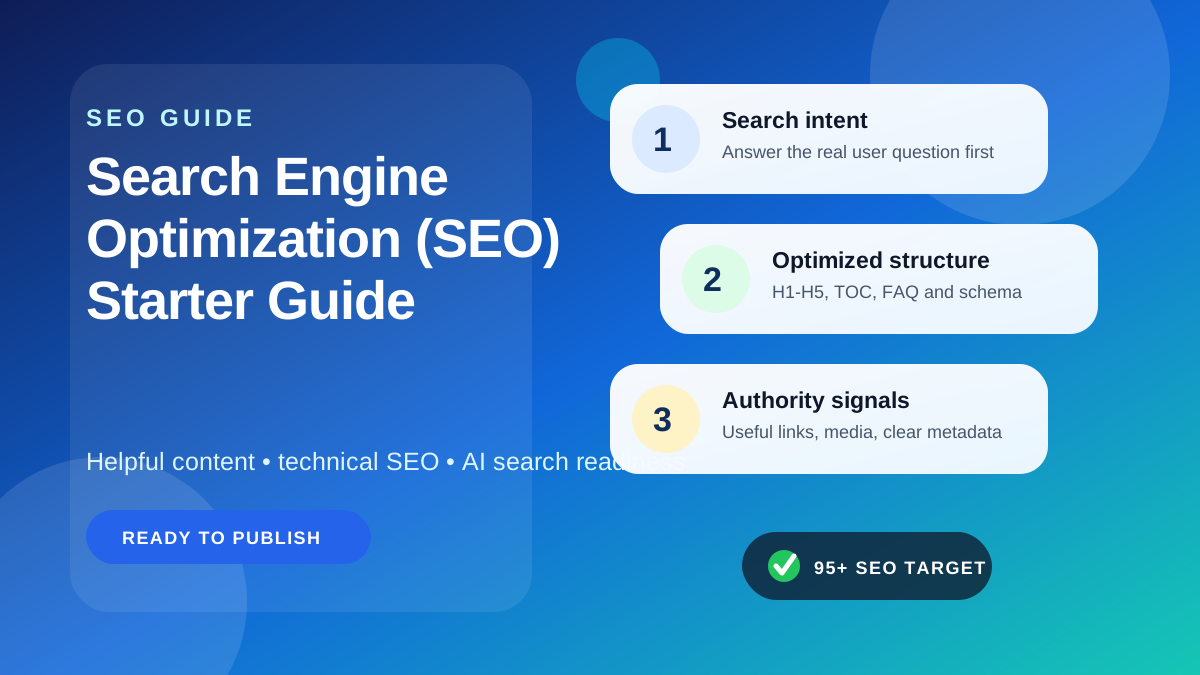
If you’re new to SEO, here’s the simple truth: search engine optimization is the process of making your website easier for search engines to understand and more useful for real people to visit. Good SEO is not about tricks. It is about clear pages, helpful content, solid site structure, decent speed, and a website that deserves attention. If you start with those basics, you are already ahead of many site owners who chase shortcuts and ignore the fundamentals.
This starter guide is built as a practical foundation. It covers how SEO works, what beginners should do first, which technical issues matter most, and where people commonly waste time. Whether you run a blog, business site, affiliate project, or publication, the goal is the same: help search engines crawl and index your content correctly, then give users a better answer than the alternatives.
What SEO actually means in practice
SEO stands for Search Engine Optimization, but the phrase often confuses beginners because it sounds more technical than it needs to be. In practice, SEO usually comes down to five jobs:
- Making sure search engines can find your pages
- Helping them understand what each page is about
- Showing that your content is useful and trustworthy
- Creating a site that is easy for users to read and navigate
- Improving your site over time based on real data
That’s it. Not magic. Not guaranteed rankings. Not “publish 20 AI posts and wait.”
Search engines like Google try to organize the web and show the most relevant results for a query. Their systems look at relevance, quality, usability, freshness where needed, and many other signals. Google explains its approach in its SEO Starter Guide and broader helpful content guidance. Those official resources are worth reading, but many beginners still need a plain-English walkthrough. That is what this guide aims to provide.
How search engines work: crawling, indexing, and ranking
Before you optimize anything, it helps to understand the basic flow.
Crawling
Search engines use bots, often called crawlers or spiders, to discover pages on the web. They follow links from one page to another, read sitemaps, and revisit known URLs over time.
If your page is not crawlable, it may never even get a fair chance to rank.
Indexing
After a page is crawled, the search engine decides whether to store it in its index. Indexed pages can appear in search results. Non-indexed pages usually cannot.
A page may fail to index for many reasons: duplicate content, poor quality, noindex tags, blocked resources, thin pages, or confusing canonical signals.
Ranking
Once indexed, pages are evaluated for specific queries. Search engines consider relevance, authority signals, content quality, page experience, location, intent, freshness, and more.
This is where many beginners get frustrated. They write one article, submit it to Search Console, and expect quick rankings. SEO rarely works like that. Indexing is not ranking. And ranking is not traffic unless the keyword has demand and your snippet earns clicks.
A simple example
Imagine you publish a page called “Best Running Shoes for Flat Feet.”
- Crawling means Googlebot can access the page.
- Indexing means Google stores the page as a possible result.
- Ranking means Google decides whether your page deserves visibility when someone searches for that topic.
If the page loads slowly, has no useful comparisons, copies manufacturer descriptions, and gives no real advice, ranking will be hard. If it is original, well-structured, fast enough, and meets user intent better than competing pages, you have a chance.
The three pillars of beginner SEO
Most starter guides become messy because they throw dozens of tactics at you at once. A cleaner way is to think in three pillars: on-page SEO, technical SEO, and authority signals.
| Pillar | What it includes | Why it matters |
|---|---|---|
| On-page SEO | Content quality, headings, keyword targeting, internal linking, images, metadata | Helps search engines and users understand the page |
| Technical SEO | Crawlability, indexability, site speed, mobile readability, canonicals, schema, sitemap, robots | Ensures the site can be discovered and processed properly |
| Authority signals | Backlinks, brand mentions, reputation, expertise, trust cues | Helps prove your site is credible enough to rank |
Beginners often obsess over backlinks first. That is understandable, but backwards. If your website is weak, unclear, or technically messy, links will not fix the core problem. Start with the pages and the site itself.
Start with search intent, not just keywords
Keyword research matters, but intent matters more. A page ranks when it matches what the searcher actually wants.
Let’s say someone searches for “SEO starter guide.” What are they likely looking for?
- A beginner-friendly explanation
- Step-by-step setup advice
- Technical basics without heavy jargon
- Common mistakes to avoid
- Examples they can apply today
They are probably not looking for an advanced patent analysis of search algorithms.
Main intent types
- Informational: learn something, such as “what is technical SEO”
- Navigational: reach a specific site or tool, such as “Google Search Console”
- Commercial: compare options, such as “best SEO tools for beginners”
- Transactional: take action, such as “buy SEO plugin”
If your page misses intent, no amount of “optimization” will save it for long.
Practical tip
Search your target keyword manually. Look at the top-ranking pages. Are they guides, tools, product pages, templates, or listicles? That SERP gives you a live clue about intent. Don’t copy competitors line by line, but do respect the format users seem to prefer.
Keyword research for beginners without overcomplicating it
You do not need enterprise software to begin. You do need common sense.
What to look for
- A topic your audience actually cares about
- A clear primary keyword
- Related subtopics and questions
- Reasonable competition for your current site strength
Useful beginner sources
- Google autocomplete
- People Also Ask questions
- Related searches
- Your own customer or reader questions
- Google Search Console queries once your site has data
For site owners who publish regularly, creating topic clusters is smarter than targeting isolated keywords. For example, a main SEO guide can connect to supporting content on technical SEO, guest posting, internal linking, and content audits. If you want more publishing ideas, the GuestBlogging.info blog is a natural place to explore related topics.
Common keyword research mistake
Beginners often choose broad, glamorous keywords with brutal competition. Ranking a brand-new site for “SEO” is unrealistic. Ranking for more focused topics like “SEO starter guide for small business website” or “how to submit sitemap in Search Console” may be much more practical.
On-page SEO basics that still matter
On-page SEO is where many improvements are easiest to make. You control the page, so you control the fix.
Write for clarity first
Use simple structure. Answer the main query early. Break up long sections. Avoid filler intros that say nothing. Readers should know within seconds whether they found the right page.
Use headings properly
Your page should have logical heading levels. WordPress normally handles the page title as the H1, so your content body should begin naturally and then use H2s for main sections and H3s for subsections.
Good headings help users scan the page and help search engines understand content structure.
Place keywords naturally
Include your primary topic in:
- The title
- The introduction
- One or more H2/H3 headings where natural
- Image alt text when genuinely relevant
- The body copy without forcing repetition
If the phrase sounds awkward, rewrite the sentence. SEO copy that reads like a machine wrote it usually performs poorly with humans, which is still the bigger problem.
Optimize title tags and meta descriptions
These are not magic ranking buttons, but they matter for clicks and relevance signals. Keep title tags clear and specific. Meta descriptions should summarize the benefit of the page honestly.
A weak title: “SEO Guide”
A better title: “SEO Starter Guide: How Beginners Can Improve Rankings Step by Step”
Use internal links with purpose
Internal links help users continue their journey and help search engines discover related content. The key is relevance. If you mention outreach or contributor publishing, it makes sense to reference pages like this guest posting checklist or the guest posting guidelines when readers need those details.
Don’t dump ten random internal links into one paragraph. That feels spammy and weakens the user experience.
Improve image SEO
Images should support the content, not just fill space.
- Use descriptive filenames where possible
- Write accurate alt text for accessibility and context
- Compress large images to reduce load time
- Use lazy loading where appropriate
Alt text is not a place to stuff keywords. “SEO starter guide dashboard screenshot” is reasonable if that is what the image shows. “SEO starter guide best beginner SEO guide rank fast” is not.
Technical SEO fundamentals every beginner should understand
Technical SEO sounds intimidating, but the beginner version is mostly about preventing avoidable problems. You do not need to become a full-time developer. You do need to recognize common issues.
Crawlability
Crawlability means search engine bots can access your important pages and resources.
Problems that hurt crawlability include:
- Broken internal links
- Poor site structure
- Blocked pages in robots.txt
- Orphan pages with no internal links pointing to them
Check your robots file carefully. It lives at /robots.txt. This file can guide crawlers, but one careless rule can block important content. Google explains robots controls in Search Central documentation.
Indexability
A page can be crawlable but still not indexable. Common causes include:
- Noindex meta tags
- Canonical tags pointing elsewhere
- Soft duplicate pages
- Thin content with little standalone value
Use Google Search Console to inspect a URL if you suspect indexation issues. If you have not set it up yet, do that first. It is one of the most useful free SEO tools available: Google Search Console.
Canonical URL
A canonical tag tells search engines which version of a page is the preferred one. This matters when similar or duplicate URLs exist.
Example:
example.com/shoesexample.com/shoes?sort=popular
If the second is just a variant, the canonical should usually point to the main version. Incorrect canonical tags can quietly damage visibility, so always verify them during audits.
XML sitemap
A sitemap helps search engines discover important URLs. It does not guarantee indexing, but it improves discovery and makes site maintenance easier.
Most SEO plugins or platforms generate one automatically. Submit it in Search Console. Keep it clean. Low-value URLs, thin archives, or junk parameter pages do not belong there.
Core Web Vitals and page speed
Speed is not the whole of SEO, but it affects user experience and can influence how easily people engage with your content. Google’s web.dev Core Web Vitals resources explain the main performance metrics.
For beginners, focus on practical fixes:
- Choose decent hosting
- Compress images
- Use caching
- Limit bloated plugins and scripts
- Enable lazy loading for off-screen images
If a page is helpful but painfully slow on mobile, users may leave before they even read it. That is a real SEO problem, not just a design problem.
Mobile readability
Most sites are judged heavily through the mobile experience. Your content should be readable without pinching and zooming.
- Use legible font sizes
- Keep paragraphs short
- Leave enough spacing between buttons and links
- Avoid intrusive popups that block content
Breadcrumbs
Breadcrumbs improve navigation and help users understand where they are within your site hierarchy. They can also support search engines in understanding structure. Many WordPress SEO plugins handle this well.
Structured data and schema
Schema markup gives search engines additional context about your content. It does not guarantee rich results, but it can help machines interpret the page more accurately.
Learn the basics from Schema.org. Common useful types include:
- Article
- FAQPage
- BreadcrumbList
- Organization
Use schema honestly. Marking up content that does not exist, or forcing inappropriate schema types, is just another version of trying too hard.
Content quality: the part beginners underestimate
Many websites are technically fine but still do not rank because the content is ordinary. Search engines are getting better at identifying pages that add little value beyond what already exists.
What useful content looks like
- It answers the main question directly
- It covers essential subtopics without rambling
- It includes examples, comparisons, steps, or insights
- It shows some real understanding, not generic paraphrasing
- It is edited for clarity and trust
What weak content looks like
- Keyword repetition without substance
- Copied or lightly rewritten competitor text
- Vague statements with no examples
- Overuse of buzzwords like “revolutionary” or “guaranteed”
- Articles written to fill a content calendar, not solve a problem
This is where human review matters. A draft may be structurally sound but still need better judgment, sharper examples, or fact-checking before publication.
EEAT-friendly publishing habits
SEO content should feel trustworthy. While “E-E-A-T” is not a direct score you can optimize in isolation, experience, expertise, author transparency, and site trust all matter in practice.
Helpful habits include:
- Use clear author or editorial attribution
- Show real experience when giving advice
- Avoid fake authority language
- Link to reliable sources when needed
- Update aging content instead of letting it decay
A realistic SEO setup process for a new website
If you are starting from scratch, do these in order. This sequence saves time.
Step 1: Set up a clean website foundation
Use a reliable CMS or platform. If you use WordPress, the official site is WordPress.org. Choose a fast, mobile-friendly theme and avoid plugin overload from day one.
Step 2: Install essential analytics and search tools
- Google Search Console
- Google Analytics or another analytics platform
Without measurement, SEO becomes guesswork.
Step 3: Fix basic technical settings
- Confirm the site is indexable
- Generate and submit an XML sitemap
- Check robots.txt
- Set preferred canonical behavior
- Enable SSL and use HTTPS consistently
Step 4: Build core pages
Create your most important commercial and informational pages first. Thin filler content should not be the opening move.
Step 5: Do topic and keyword research
Map one primary keyword or intent to one page. Avoid publishing five near-identical pages chasing tiny keyword variations.
Step 6: Publish genuinely useful content
Write pages that deserve to rank. Use examples. Answer objections. Be more specific than competitors where possible.
Step 7: Add internal links intentionally
As new pages go live, connect them to related pages. This creates topic clusters and improves discoverability.
Step 8: Improve credibility and promotion
Share your content, build relationships, and earn mentions naturally. Guest posting can help when done carefully and on relevant sites. If you are exploring opportunities, you can browse guest posting sites or review contributor options before pitching.
Step 9: Review data and update
Look at Search Console impressions, clicks, queries, and indexing issues. Improve pages that already show some traction before chasing entirely new topics.
On-page 6. Buying poor-quality links too early
Cheap backlink packages often create more risk than value. Relevance and editorial quality matter far more than raw link count.
7. Expecting immediate results
SEO can be slow, especially on newer domains. Patience is not optional.
SEO vs paid ads: which should beginners prioritize?
This depends on your timeline and business model. SEO and paid advertising solve different problems.
| Factor | SEO | Paid Ads |
|---|---|---|
| Speed | Usually slower | Usually faster |
| Cost model | Time and content investment | Ongoing spend per campaign |
| Long-term value | Can compound over time | Stops when spend stops |
| Best for | Evergreen visibility and content-led growth | Testing offers and getting quick traffic |
For many beginners, a blended approach works best. Use SEO to build long-term assets and paid channels for immediate testing when budgets allow.
How guest posting supports SEO when done carefully
Guest posting is often misunderstood. Done badly, it becomes a low-quality link scheme. Done well, it can support visibility, referral traffic, brand exposure, and genuine authority building.
What good guest posting looks like
- Relevant websites with real editorial standards
- Useful articles written for the host site’s audience
- Natural author mentions or contextual links where justified
- Relationship building, not just link placement
What bad guest posting looks like
- Spam outreach at scale
- Irrelevant placements on thin sites
- Exact-match anchor text everywhere
- Posts written only to place a backlink
If you plan to contribute to other websites, start with editorial fit. Review the submission guidelines carefully. If you run a site and want to be considered for inclusion, you can submit your site for review.
For businesses exploring sponsored visibility instead of pure editorial outreach, the pricing page and contact page are the practical next steps.
How to measure SEO progress without fooling yourself
Vanity metrics are everywhere. Followers, impressions without clicks, and random keyword wins can distract from what matters.
Better metrics to track
- Organic clicks
- Impressions for target pages
- Average position trends, used carefully
- Index coverage and crawl issues
- Conversions from organic traffic
- Engagement metrics that reflect content usefulness
A practical review habit
Every month, review:
- Which pages gained impressions but not clicks
- Which pages are indexed but underperforming
- Which queries are close to page one
- Which content needs updating, merging, or pruning
SEO improvement often comes from upgrading existing content, not just publishing new content forever.
Beginner-friendly examples of SEO improvements
Sometimes the easiest way to understand SEO is to see before-and-after logic.
Example 1: Weak service page
Before: A web design page says, “We offer the best web design services for all businesses worldwide.” It has no examples, no location relevance, no proof, and weak structure.
After: The page explains services clearly, includes process steps, shows project types, answers common concerns, and uses headings for pricing, timeline, and FAQs. It becomes easier to rank and easier to trust.
Example 2: Blog post with poor intent match
Before: A page targeting “how to create sitemap” spends 1,500 words on the history of XML and almost nothing on actual steps.
After: The post gives platform-specific instructions, mentions Search Console submission, explains common errors, and includes screenshots. Users stay longer because the page actually solves the problem.
Example 3: Slow image-heavy article
Before: Large uncompressed images slow mobile loading. Text is hidden behind ads and sticky popups.
After: Images are compressed, lazy loading is enabled, and content appears immediately. Bounce risk drops because the page feels usable.
What to do in the first 90 days of SEO
If you want direction, this timeline is realistic for a small site.
Days 1 to 30
- Set up Search Console and analytics
- Check indexing settings and technical basics
- Publish core pages
- Research your first topic cluster
Days 31 to 60
- Publish a handful of strong, focused articles
- Improve internal linking
- Fix obvious speed and mobile issues
- Start light outreach or promotion
Days 61 to 90
- Review Search Console query data
- Refresh pages with early impressions
- Add FAQs and schema where relevant
- Consider careful guest posting on relevant sites
This is not a guaranteed ranking formula. It is simply a sane starting roadmap.
Frequently asked questions about SEO starter basics
How long does SEO take to show results?
It depends on your site age, competition, content quality, and technical health. Some improvements can appear in weeks, but meaningful growth often takes months. New websites should expect a slower start.
Can I do SEO myself as a beginner?
Yes, especially the basics. Many site owners can learn keyword research, on-page SEO, internal linking, Search Console monitoring, and simple technical checks. Advanced audits or large-scale fixes may still need specialist help.
Is SEO free?
Not really. You may avoid ad spend, but SEO still costs time, tools, writing, editing, design, development, or outreach effort. “Organic” traffic is not the same as “free” traffic.
What is the most important SEO factor for a new site?
A useful combination of crawlable pages, clear site structure, good content, and realistic keyword targeting. There is rarely one single factor doing all the work.
Do I need backlinks to rank?
For low-competition topics, sometimes strong content and clean technical setup can go far. For more competitive terms, backlinks and broader authority signals usually matter. The key is quality, not random quantity.
What is the difference between crawling and indexing?
Crawling means a search engine discovers and accesses a page. Indexing means the page is stored in the search engine’s database and can be shown in results.
Should every page have a canonical tag?
In most modern setups, yes, either explicitly or via your CMS/plugin defaults. The important part is that canonical signals are correct and not pointing valuable pages to the wrong URLs.
Does image alt text help SEO?
Yes, but its main job is accessibility and image context. Good alt text can support SEO naturally. Keyword stuffing alt text is a mistake.
What is an XML sitemap, and do I need one?
An XML sitemap lists important URLs you want search engines to discover. Most websites should have one and submit it through Search Console.
Is technical SEO necessary for a small blog?
Yes, but the basics are usually enough at first. You do not need enterprise-level complexity. You do need clean crawling, indexability, mobile readability, speed, and sensible site structure.
Should I update old content or publish new content?
Usually both, but many sites underestimate the value of updating old pages. Improving a page that already has impressions can be faster than starting a new one from zero.
Final action checklist for beginners
If you want a no-nonsense starting list, use this:
- Set up Google Search Console and analytics
- Make sure search engines can crawl and index your important pages
- Submit a clean XML sitemap
- Check robots.txt and noindex settings
- Use correct canonical URLs
- Improve mobile readability and page speed
- Write content around real search intent
- Use headings, internal links, and images properly
- Add descriptive alt text and enable lazy loading where suitable
- Use breadcrumbs and relevant schema markup
- Track queries, clicks, and page performance in Search Console
- Update underperforming pages before endlessly publishing more weak ones
- Build authority carefully through useful promotion and relevant relationships
SEO is one of the few marketing channels where foundational work keeps paying off long after you publish it. But only if the work is worth something. Start with clarity. Fix the basics. Publish what helps people. Then improve patiently.
If you want to keep learning, browse more SEO and publishing guides. If you are building outreach into your growth plan, explore vetted guest posting sites. And if you run a quality website yourself, you can submit your site for consideration.
Need verified guest posting opportunities?
Explore directory listings, compare quality signals, and use safe outreach methods before building backlinks.
Explore Guest SitesTags: AI Search, AI search optimization, Content Marketing, Google ranking, Guest Blogging, keyword research, Optimization, Search, Search Engine Optimization (SEO) Starter Guide, SEO guide, technical SEO